# How To Register

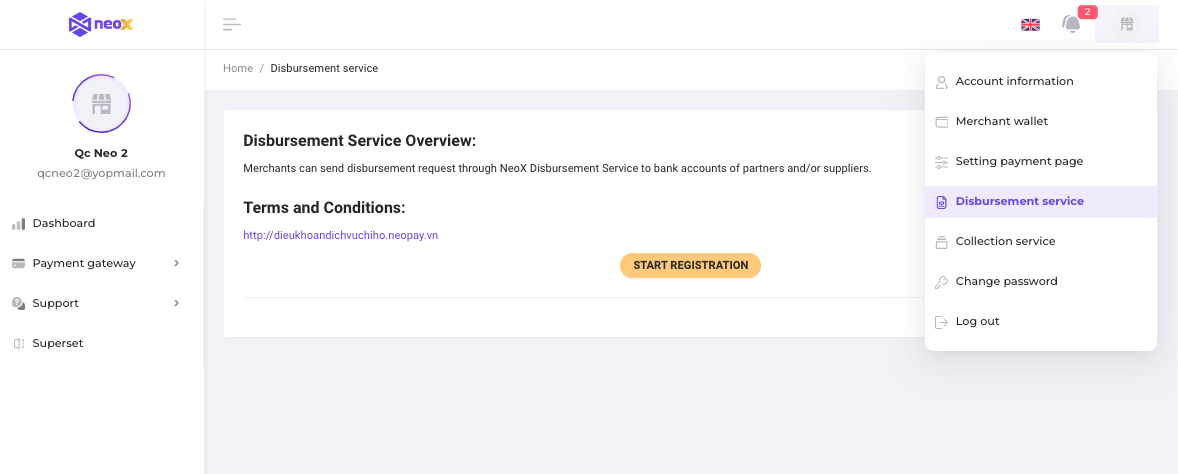
**Step 1:** Login to the Merchant Portal

**Step 2:** On the right pane&#x6C;**,** then choose  the **Disbursement service,** then click on **START REGISTRATION** button

<figure><img src="https://content.gitbook.com/content/uIGO9I55gtHjY6deHGwV/blobs/0bV56XK8MdxL2oZDvVQp/Screen%20Shot%202023-02-14%20at%209.48.42%20AM.png" alt=""><figcaption></figcaption></figure>

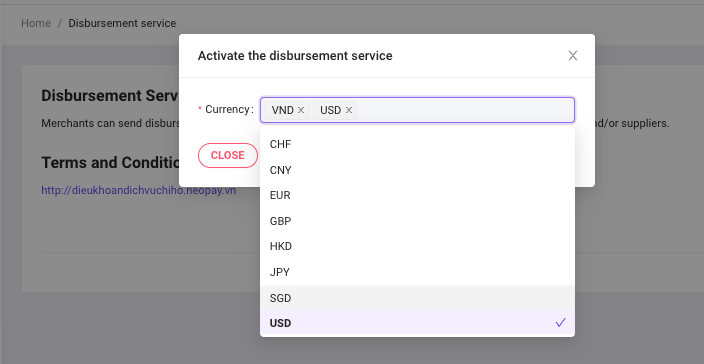
**Step 3:**  Select the **Currency,** then click on **Submit** button. &#x20;

<figure><img src="https://content.gitbook.com/content/uIGO9I55gtHjY6deHGwV/blobs/plSUAN2xgph54HPwZu8I/Screen%20Shot%202023-02-14%20at%209.53.30%20AM.png" alt=""><figcaption></figcaption></figure>

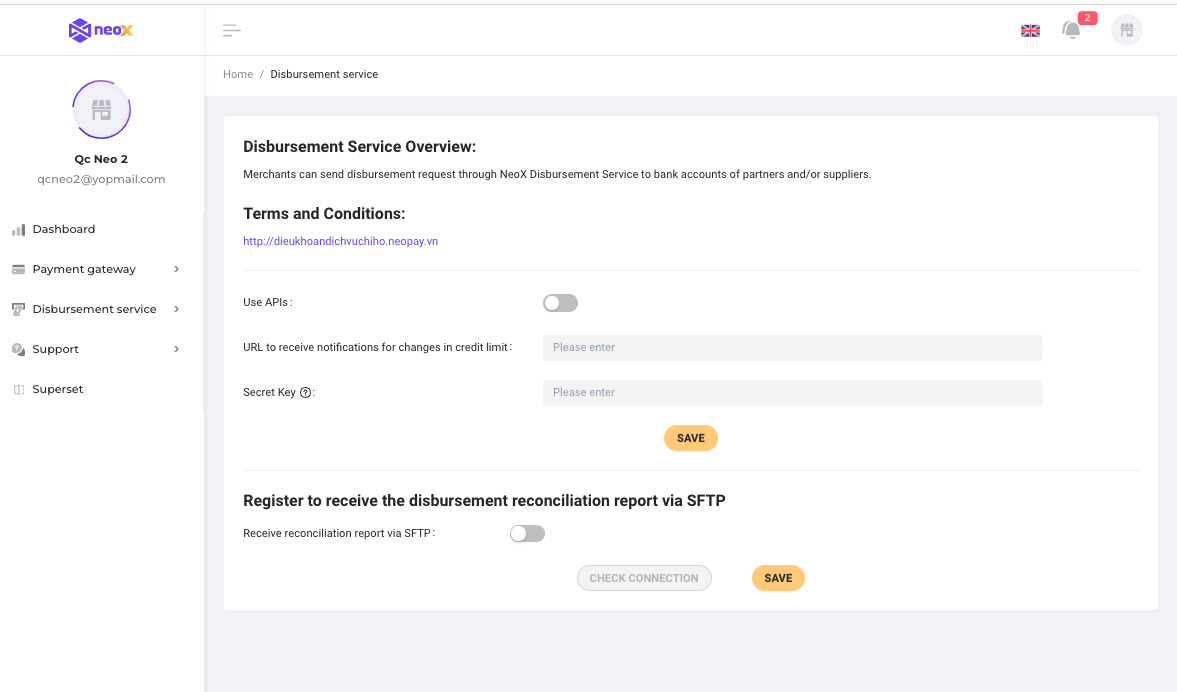
**Step 4:** Configure the  webhook to receive the IPN (Optional)

* Enable **Use APIs**
* Fill in the **URL to receive notifications for changes in credit limit**
* Fill in the **Secret Key**

<figure><img src="https://content.gitbook.com/content/uIGO9I55gtHjY6deHGwV/blobs/Vw12gRYJ6YXddye7TnvB/Screen%20Shot%202023-02-14%20at%2010.11.04%20AM.png" alt=""><figcaption></figcaption></figure>

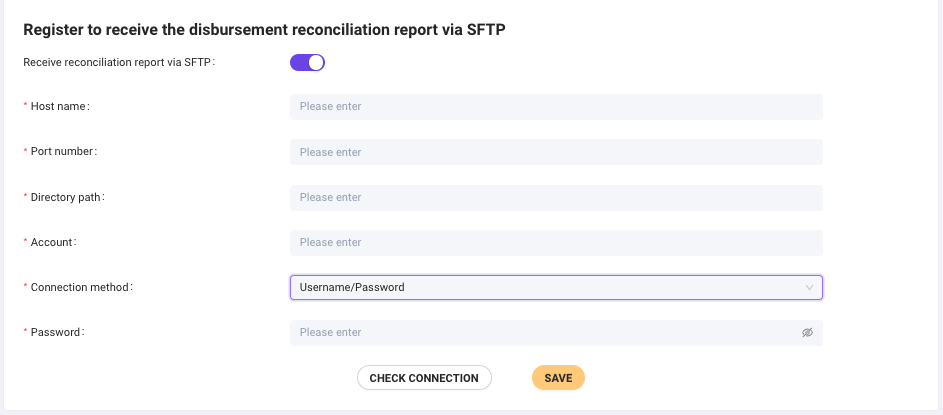
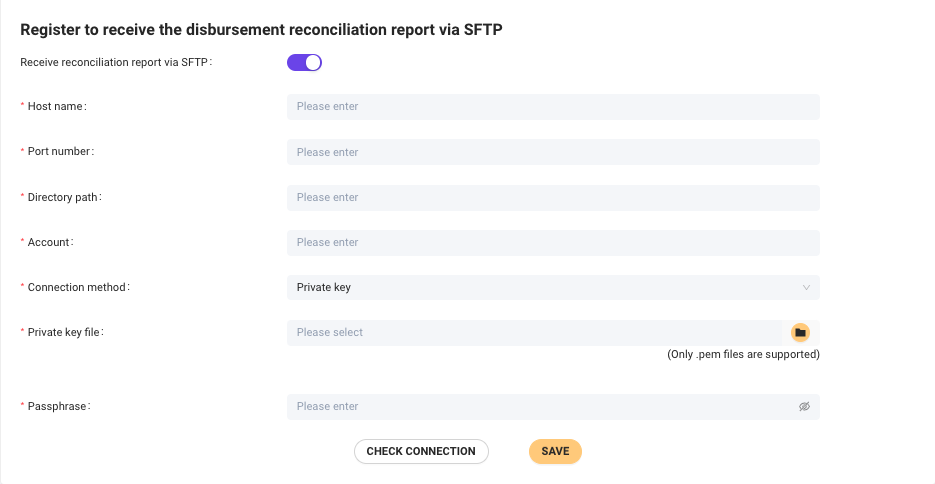
**Step 5:** Configure the SFTP to receive the disbursement reconciliation report  (Optional)

* Fill in the **Host name**
* Fill in the **Port number**&#x20;
* Fill in the **Directory Path**
* Fill in the **Account**
* Select the **Connection method:**&#x20;

  * Choose **Username/Password**, then fill in the **Password**

  <figure><img src="https://content.gitbook.com/content/uIGO9I55gtHjY6deHGwV/blobs/HRW3iXkJF4hOmUr1YIpA/Screen%20Shot%202023-02-14%20at%2010.28.17%20AM.png" alt=""><figcaption></figcaption></figure>

  * Select the **Private key**, then upload **Private key file** (.pem) and fill in the **Passphare**&#x20;

  <figure><img src="https://content.gitbook.com/content/uIGO9I55gtHjY6deHGwV/blobs/nCBbJv0CSVjAk98SypiP/Screen%20Shot%202023-02-14%20at%2010.28.27%20AM.png" alt=""><figcaption></figcaption></figure>